

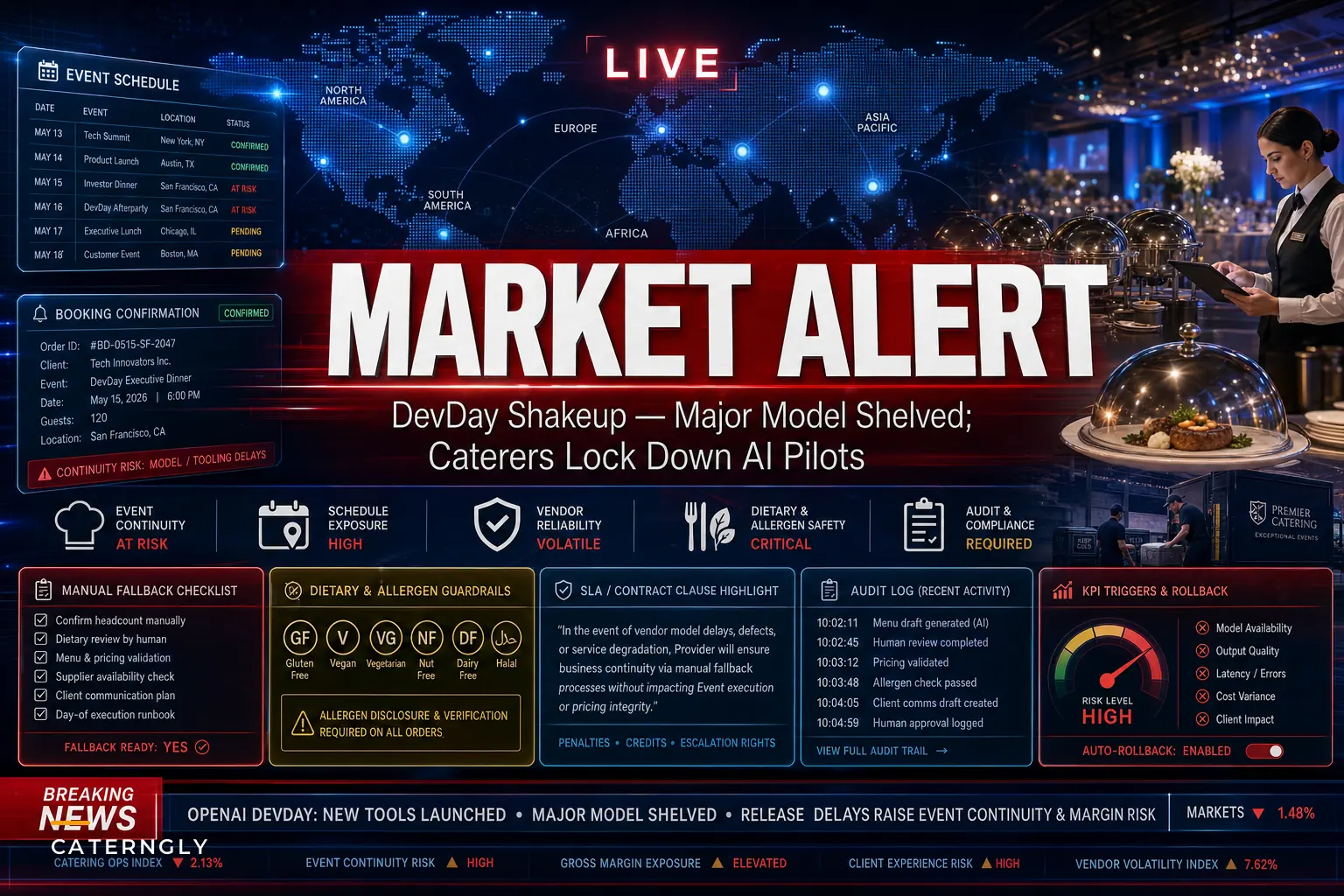

The timing was almost funny. OpenAI rolls out a wave of new developer tools and agent features at DevDay, and within the same news cycle, word comes out that they quietly shelved a planned GPT-6.1 release after internal safety testing — something Reuters reported at the end of September. So in one breath, the message to businesses was "build more on us," and in the next, "by the way, we just pulled a model we'd planned to ship."
For caterers either piloting or seriously considering AI for booking intake, client replies, menu personalization, or scheduling, that split-screen moment is worth sitting with. Not because the sky is falling — the new tools are genuinely useful — but because it's a clean reminder of what you're actually signing up for when you wire your operations into a vendor's roadmap. The roadmap can change. Pricing can change. A feature you built a workflow around can get deprecated with a few months' notice. And none of that cares that you've got 14 events booked for June.
This isn't an argument against AI adoption. It's an argument for adopting it like an operator instead of an early-adopter hobbyist.
What the DevDay moment actually exposes
The useful takeaway isn't "AI is risky." It's that your AI features now depend on a supply chain you don't control, and that supply chain behaves differently than your food vendors or rental company.
When your produce supplier raises prices, you get a heads-up and you can switch. When an AI vendor changes an API, deprecates a model, or reprices tokens, your automation can silently start producing worse output — or stop working entirely — in the middle of your busiest stretch. The failure mode is quieter and harder to catch, which is exactly what makes it dangerous for an operation where a missed client reply can cost a $12k wedding.
The shelved-model story matters for a subtle reason. It shows that vendors will pull things for reasons that have nothing to do with you. Safety testing, legal exposure, internal strategy — all legitimate, all completely outside your visibility. If your booking confirmation flow or your late-night client Q&A assistant is built on a specific model version, you're exposed to decisions made in a room you'll never be in.
Most caterers piloting these tools right now haven't mapped that exposure. That's the real gap.
Where caterers are actually plugging AI in right now
Before getting into risk, it helps to be honest about where these tools are actually earning their keep. Across catering operations experimenting with this, the use cases cluster into a few buckets:
End chaos with centralized catering management.
Caterngly helps you plan, confirm, and manage every catering event seamlessly.
- Unified event and order management
- Real-time client updates
- Staff and resource scheduling
No credit card required
-
Inbound lead triage — parsing "do you do 80 people, dietary stuff, outdoor, July 18?" emails and drafting a structured response or routing it.
-
Client comms during planning — answering repetitive questions (parking, timeline, final headcount deadlines) so coordinators aren't retyping the same answers.
-
Menu personalization — turning a client's dietary notes into suggested menu swaps.
-
Scheduling and reminders — nudging clients on deposits, final counts, and tasting appointments.
-
Order drafting — converting a confirmed event into a rough prep and purchase list.
The pattern worth noticing: the tools people trust most are the ones that draft, not decide. The riskiest deployments are the ones where AI output goes straight to a client or straight into an order with no human checkpoint.
That distinction matters a lot when you think about what happens the day a model quietly changes behavior.
The two failure categories you're actually protecting against
Vendor risk sounds abstract until you split it into what can actually go wrong. There are really two buckets.
| Failure type | What it looks like for a caterer | How fast it hits you |
|---|---|---|
| Availability failure | API down, model deprecated, account rate-limited, pricing spike that forces you off a plan | Immediate — automations stop or become unaffordable |
| Quality drift | Model still works but output changes: tone shifts, dietary logic gets sloppier, confirmations miss details | Slow and sneaky — you find out from an angry client |
Availability failures are loud. You'll know within an hour. Quality drift is the one that actually burns caterers, because the system looks fine on the dashboard while it's quietly sending a celiac client a menu with a wheat-based sauce. The DevDay news is really a reminder that both can originate from the vendor, not from anything you did wrong.
If you only build fallbacks for "the API went down," you've protected yourself against the less expensive problem.
A real scenario: the pilot that almost went sideways
A mid-sized caterer running somewhere around 18–25 events a month — mostly corporate lunches and weekend weddings — set up an assistant to handle first-touch replies to inbound inquiries. It drafted responses with pricing ranges and a link to book a tasting. Worked well for about two months. Average response time dropped from most-of-a-day to under an hour, which genuinely helped close rate on time-sensitive corporate requests.
Then something went off. A batch of replies had started quoting a per-head range that was low — not wildly, but enough that two clients booked expecting a number the kitchen couldn't actually deliver on. Nobody had changed the prompt. What changed was the underlying model behavior after an update. The assistant had started "rounding" its interpretation of the pricing instructions.
The damage wasn't catastrophic — maybe one awkward re-quote conversation and a discount honored to keep goodwill, a few hundred dollars plus some stress. But the lesson was the point: nobody was checking the output anymore because it had been reliable. Reliability had switched off their vigilance. The fix wasn't to drop the tool. It was to add a weekly spot-check of a handful of AI-drafted quotes against actual cost cards, and a hard rule that any price-bearing reply gets a human glance before it sends during peak season.
That's vendor risk management in practice. Not paranoia — just a checkpoint that assumes the tool can drift.
A working playbook: how to pilot without exposure
Below is the sequence that actually holds up when you treat AI like any other operational dependency rather than a magic upgrade.
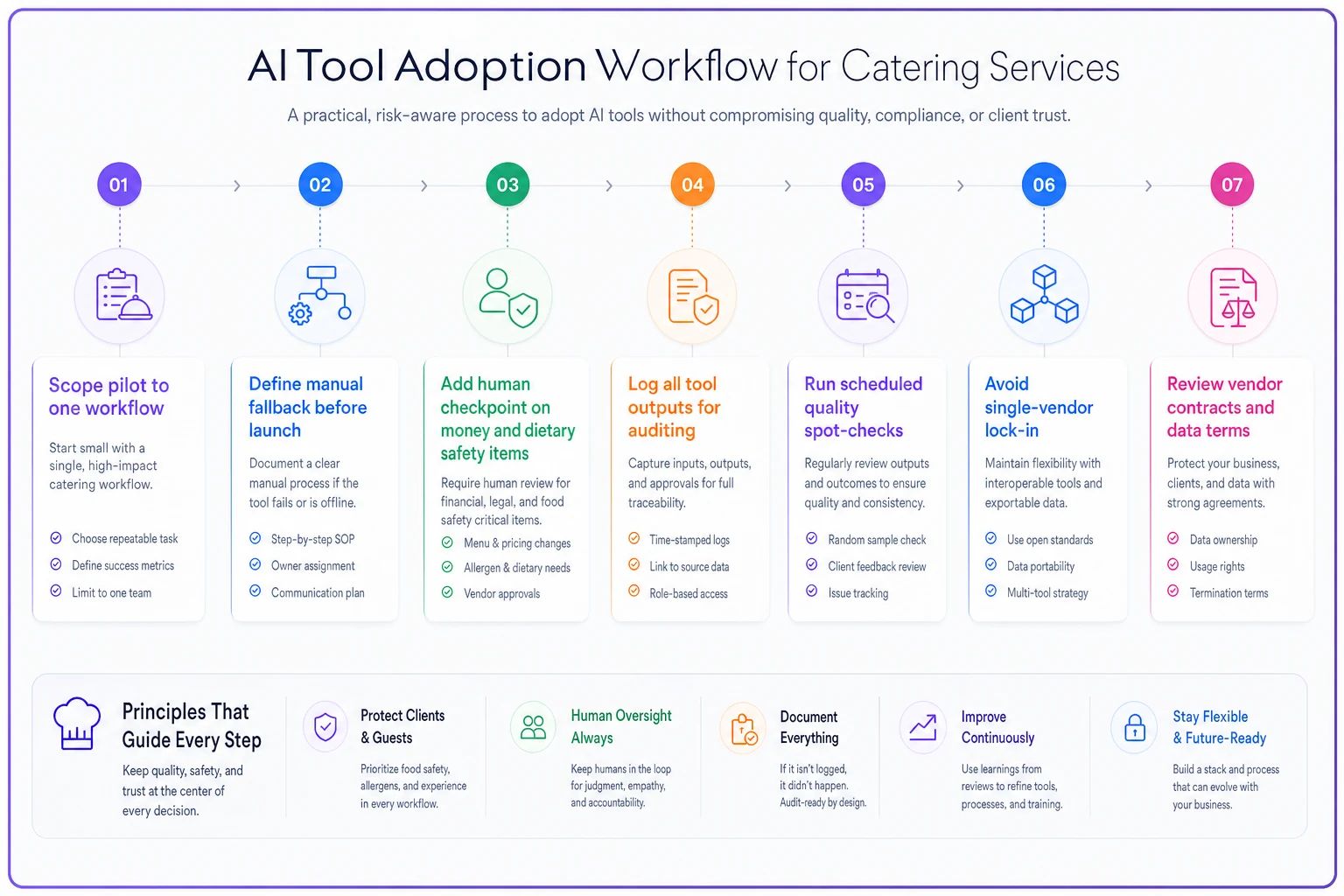
The flow shows the pilot starting small, adding fallbacks and checkpoints, and looping in audits and contract review before scaling.
-
Scope the pilot to one workflow, not five. Pick the single use case with the clearest ROI and the lowest blast radius if it fails. Inbound triage is a good starter; auto-sending client confirmations is not.
-
Define the fallback before you launch. Write down, literally, "if this stops working on a Friday, who does this job manually and how long does it take?" If you can't answer that, you're not ready to go live.
-
Keep a human checkpoint on anything that touches money or dietary safety. Drafts are fine. Autonomous sends on pricing, allergens, or contracts are where caterers get burned.
-
Log everything the tool produces. You want a record you can audit when quality drifts, because it will, and you'll want to pinpoint when it started.
-
Run a quality spot-check on a schedule. Weekly during busy season. Compare a sample of outputs against your source of truth — cost cards, menu specs, event details.
-
Avoid single-vendor lock-in where you reasonably can. If your tool lets you swap the underlying model or export your prompts and data, you have options the day pricing or availability changes.
-
Revisit contracts and terms. Know the notice period for deprecations and price changes, and know where your client data goes.
Start the pilot with a single coordinator owning the human checkpoint and a simple log to trace any drift back to a date and model version.
None of this is about the technology being good or bad. It's about not building a load-bearing wall out of something a vendor can remove on their own schedule.
Contract and data questions most caterers skip
The operational side gets attention. The paperwork side gets almost none. A few things worth pinning down with any AI vendor before you lean on them for bookings or comms:
-
What's the deprecation notice window? Thirty days is very different from a year when it's wedding season.
-
How is pricing structured, and what triggers a change? Token-based pricing can quietly balloon if your inbound volume spikes.
-
Where does client data live, and who can see it? You're putting names, event details, sometimes dietary and medical-adjacent notes into these systems. That's a data-governance question, not just a tech one.
-
Can you export your data and configurations? If the answer is no, you have no exit.
-
Is there an SLA, and what does it actually cover? "Best effort" is not an SLA.
The CNBC coverage of DevDay captured how fast the feature set is expanding, and fast movement is exactly when terms get revised. The vendors shipping the most are also the ones most likely to change the rules under you. That's not a reason to avoid them — it's a reason to read what you're signing.
When this actually makes sense
AI tooling is worth piloting when:
-
You have a high-volume, repetitive workflow eating coordinator hours — inbound triage, FAQ-style client replies, reminder sequences.
-
You have a clear manual fallback you can switch to without missing a beat.
-
The output passes through a human before anything client-facing or money-related goes out.
-
You can measure a real metric — response time, close rate, hours saved — so you know if it's earning its keep.
When those conditions line up, the tool can genuinely reduce labor without creating fragile single points of failure.
When it's a bad idea
Hold off, or keep it tightly caged, when:
-
You'd be auto-sending contracts, quotes, or allergen info with no review.
-
You have no fallback plan and the tool becoming unavailable would strand live events.
-
You're adopting it because it's trendy rather than because a specific workflow is bleeding time.
-
Your team hasn't been trained on what to do when the tool is wrong — and it will sometimes be wrong.
The caterers who get hurt aren't the cautious ones. They're the ones who let a tool run unsupervised because it had been reliable for a while.
The deeper issue: adoption discipline, not tool choice
Strip away the DevDay headlines and the real theme is old-fashioned: you can't outsource operational judgment to a vendor's roadmap. The tool is a dependency. Dependencies need fallbacks, audits, contracts, and a human who owns the outcome. That's the same discipline you already apply to rental companies, food suppliers, and staffing agencies — AI just hides the dependency better because it feels like software you own rather than a supplier you're relying on.
This is fundamentally a technology-adoption problem more than an AI problem, and the same principles that secure ROI on any catering software apply here. If you want the broader framework for piloting, measuring, and scaling tools without wasting money, the technology adoption playbook for caterers covers how to structure pilots so they actually pay off instead of becoming shelfware.
The caterers who come out ahead over the next year won't be the ones who adopt the newest agent feature fastest. They'll be the ones who treat every AI tool as a capable-but-fallible supplier — useful, worth paying for, and absolutely requiring a plan for the day it changes without asking. Pilot small, keep a human on the money and the allergens, write down your fallback, and read the contract.
Do that, and a vendor shelving a model halfway across the world becomes a news item instead of a Saturday-morning emergency.
Ready to elevate your catering business?
Join 500+ caterers trusting Caterngly to save time, reduce errors, and deliver flawless events.