
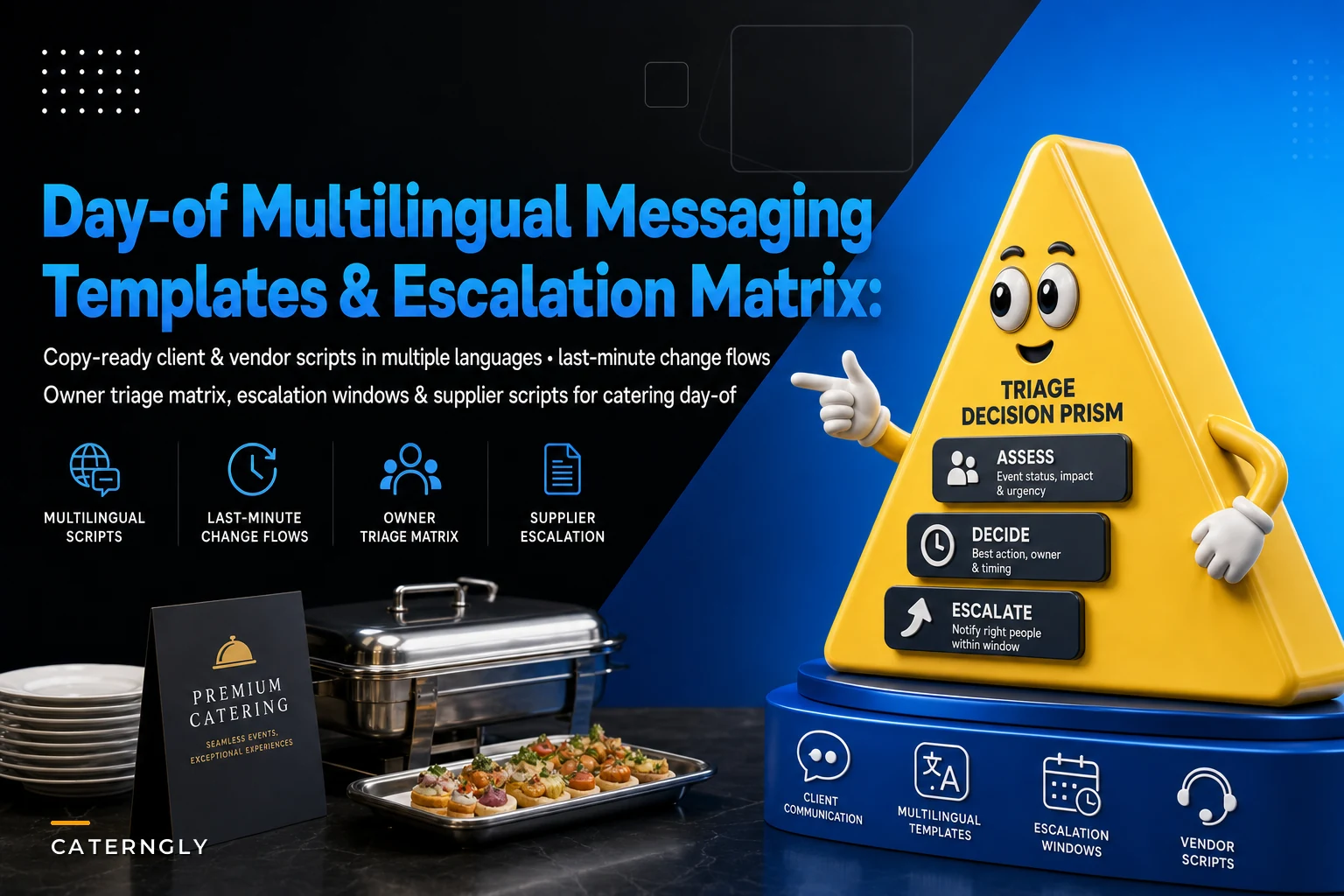

The hardest part of multilingual day-of communications isn't translation. It's timing and ownership. A perfectly translated message that reaches the wrong person twenty minutes too late still ruins the plate-up. And in the chaos of a 200-guest wedding where the florist speaks Portuguese, the venue coordinator speaks English, and half your kitchen crew speaks Spanish, the breakdown almost never happens because nobody understood the words. It happens because nobody knew whose job it was to send the message, or which channel to use.
This article gives you the actual artifacts — confirmation templates, last-minute change scripts, supplier escalation ladders, and a triage matrix that assigns every type of problem to a specific owner — in a format you can lift and adapt. The goal is to make day-of comms boring. Predictable. The kind of thing that runs without you hovering over it.
Why multilingual day-of comms fall apart (and it's rarely the language)
On event day, three things tend to collapse at once:
-
Channels fragment. The client texts the owner. The venue emails the coordinator. A supplier calls the kitchen lead directly. Nobody has the full picture.
-
Ownership blurs. When a van is 40 minutes late, four people assume someone else is handling it, so nobody does.
-
Language adds friction at the worst moment. A site lead who speaks perfectly functional English suddenly has to explain a compliance issue under pressure, and the nuance gets lost.
Translation is the easy part — you can prepare that in advance. What you can't improvise under pressure is who sends what, to whom, on which channel, in which language. That's the real work, and it's why pre-built templates plus a triage matrix beat even a fluent bilingual manager scrambling in the moment.
A typical example: a caterer running a corporate gala has a Spanish-speaking kitchen crew and a French-speaking venue in Montreal. The rental company delivers the wrong linens. The site lead spends eleven minutes relaying this back and forth — first explaining to the kitchen why setup is paused, then negotiating with the venue in French, then calling the rental company in English. None of it was written down beforehand. By the time the correct linens arrive, the cocktail hour is compressed and the client is visibly annoyed. Every one of those conversations could have been a pre-written script with a named owner.
The owner-assignment triage matrix
Start here, because the templates are useless without it. The matrix answers one question: when X happens, who owns it, who do they notify, and how fast?
End chaos with centralized catering management.
Caterngly helps you plan, confirm, and manage every catering event seamlessly.
- Unified event and order management
- Real-time client updates
- Staff and resource scheduling
No credit card required
Keep it to one page. Laminate it. Put it in every site lead's kit.
| Issue type | Primary owner | Notify within | Escalate to | Default channel |
|---|---|---|---|---|
| Guest count change (±10%) | Site lead | 15 min | Owner + kitchen lead | Group text |
| Supplier/vendor late | Day-of coordinator | 10 min | Owner | Phone, then text |
| Menu/allergy issue | Kitchen lead | Immediate | Site lead + client contact | In-person + text |
| Venue access/power problem | Site lead | 5 min | Venue coordinator + owner | Phone |
| Staff no-show | Day-of coordinator | 15 min | Owner | Phone |
| Client complaint (service) | Site lead | Immediate | Owner | In-person |
| Payment/scope dispute | Owner only | — | — | Phone |
| Equipment failure | Kitchen lead | 10 min | Coordinator | Text |
The thing most teams miss: payment and scope disputes should never be handled by the site lead on event day. The reflex is to "just make the client happy" in the moment, which quietly gives away margin. Route those to the owner, always, and have the site lead buy time with a neutral holding line — there's a template for that below. This connects directly to keeping scope changes controlled rather than conceded on the spot, which we broke down in detail in the change-order workflow for client requests that protects margins.
The "notify within" column matters more than people expect. A guest-count jump of 10% that your kitchen doesn't hear about for 45 minutes becomes a plating emergency. The same jump communicated in 15 minutes is a minor adjustment.
Visual workflow for quickly matching issue types to owners and escalation paths:
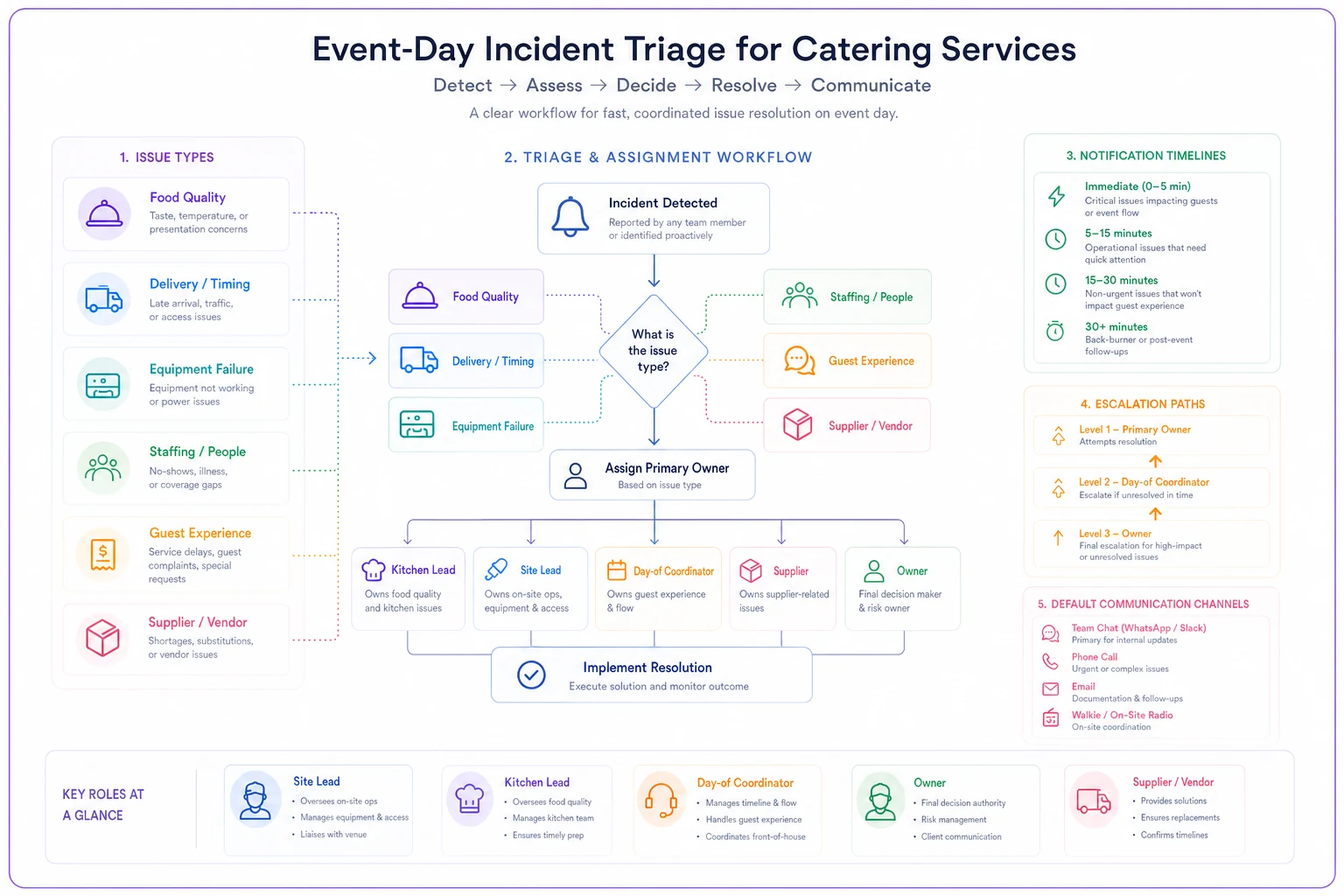
Keep this laminated and at hand so the site lead can follow it without asking for guidance.
Confirmation templates (client + vendor)
These go out the morning of, or the night before. The point is to lock details and surface problems while there's still time to fix them. Send them in the recipient's primary language — don't make the client or vendor do the translating.
Client morning-of confirmation (English):
> Hi [Name], we're all set for today. Quick confirmation: arrival [time], service start [time], final guest count [X]. Our on-site lead is [Name], reachable at [number]. If anything changes on your end, text that number directly. Looking forward to it.
Same, Spanish:
> Hola [Nombre], todo listo para hoy. Confirmación rápida: llegada [hora], inicio del servicio [hora], número final de invitados [X]. Nuestro encargado en el sitio es [Nombre], disponible al [número]. Si algo cambia de su parte, envíe un mensaje directo a ese número. Con muchas ganas de hoy.
Same, French:
> Bonjour [Nom], tout est prêt pour aujourd'hui. Confirmation rapide : arrivée [heure], début du service [heure], nombre final d'invités [X]. Notre responsable sur place est [Nom], joignable au [numéro]. Si quelque chose change de votre côté, écrivez directement à ce numéro. Au plaisir.
Vendor/supplier confirmation (English):
> Hi [Vendor], confirming today's delivery: [items], window [time]–[time], loading at [location/dock]. On-site contact is [Name], [number]. If you're running behind, call this number — do not wait until the window closes. Thanks.
Same, Spanish:
> Hola [Proveedor], confirmando la entrega de hoy: [artículos], horario [hora]–[hora], carga en [ubicación]. Contacto en el sitio: [Nombre], [número]. Si va con retraso, llame a este número — no espere a que cierre la ventana de entrega. Gracias.
The one line that saves you most often is "If you're running behind, call this number — do not wait." Suppliers tend to stay silent hoping they'll catch up, and you find out they won't at exactly the moment you can't react. Making early notification an explicit instruction, in their language, shifts that behavior more than you'd expect.
Last-minute change scripts
These are the ones you'll reach for most. Short, calm, and specific. Every change script should contain three things: what changed, what you need from the recipient, and by when.
Guest count increase — to kitchen lead (Spanish):
> El conteo subió a [X], un aumento de [número]. Necesito confirmar si podemos cubrir con lo que tenemos o si hay que ajustar porciones. Avísame en 10 minutos.
Timeline compression — to full team (English):
> Service is moving up [X] minutes. New plate-up at [time]. Everyone confirm you've got this. If your station can't hit it, tell me now, not at plate-up.
Allergy/dietary addition — to kitchen (English):
> New dietary need at table [X]: [restriction]. Need a compliant plate confirmed before service. Flag me if we can't accommodate so I can talk to the client.
That last clause — "flag me if we can't accommodate so I can talk to the client" — keeps the kitchen from improvising something unsafe just to avoid saying no. It also keeps the client conversation with the site lead, not with a line cook who speaks limited English.
Client-facing holding line (for anything you can't answer on the spot):
> Thanks for flagging that — I want to get you a proper answer rather than a quick wrong one. Give me [X] minutes and I'll confirm.
This is your escape hatch for scope and payment questions. It buys time, sounds professional, and routes the decision up the chain instead of giving it away in the moment.
Supplier escalation scripts (the ladder)
Escalation is where politeness kills you. Teams stay friendly through three rounds of "it's on the way" until the window's gone. Build a ladder with clear tone shifts and a hard cutoff.
-
First contact (collaborative) "Hi, checking on today's delivery — are we still good for the [time] window?"
-
Second contact, 10 min later (direct) "I need a firm ETA in the next 5 minutes. If it's going to miss the window, I need to know now so I can arrange a backup."
-
Third contact (escalate) Call the supplier's manager, not your original contact. "This is [Name] from [Company]. Our delivery is past window and I haven't gotten a firm ETA. I need either confirmation it's arriving by [time] or I'm sourcing elsewhere and we'll discuss the invoice."
-
Cutoff (execute backup) Stop chasing. Trigger your pre-identified backup supplier. Document the failure for the post-event vendor review.
The step most caterers skip is #4 — having a pre-identified backup in place before event day. Deciding who your emergency rental or produce source is while the van is already late is how you end up paying triple for whatever you can find. Line those up during planning. It's part of the same discipline we covered in the day-of vendor liaison plan and decision matrix — knowing your fallback before you need it.
Supplier escalation, Spanish (second contact):
> Necesito una hora de llegada confirmada en los próximos 5 minutos. Si no va a llegar dentro de la ventana, dígamelo ahora para organizar un reemplazo.
Quick-check decision flows for day-of teams
Give site leads a few if/then flows so they don't have to think from scratch mid-event. These work best printed on a card.
-
Supplier late - Past window start? → Call (script #2). - No firm ETA in 5 min? → Escalate (script #3). - Still nothing at cutoff? → Trigger backup, notify owner.
-
Guest count change - Under 5%? → Site lead absorbs, logs it. - 5–10%? → Notify kitchen lead, confirm coverage. - Over 10%? → Notify owner + kitchen, reassess portions and staffing.
-
Client complaint - Service/quality? → Site lead resolves on-site, logs it. - Scope/money? → Holding line, route to owner. Never resolve on the spot.
The value here is removing the pause. When a problem hits, the site lead's job becomes "match it to the card" instead of "figure out what to do" — which is exactly the kind of decision you don't want people making when they're tired and under pressure.
Handoff scripts between shifts and roles
Handoffs are an underrated failure point. A clean verbal handoff in two languages prevents the "I thought you told them" gaps that derail the back half of long events.
Site lead to relief lead (handoff template):
> Status: [on schedule / behind by X]. Open issues: [list]. Pending supplier: [who, expected when]. Client contact so far: [summary]. Next decision point: [what, when]. Questions?
Keep it to five lines. The discipline of naming "open issues" and a "next decision point" is what separates a real handoff from a vague "everything's fine" that buries a late dessert delivery nobody mentioned.
A real scenario
A mid-size caterer running roughly 120–150 events a year, with a bilingual Spanish/English crew, kept losing time on day-of miscommunication — mostly late vendor deliveries and guest-count surprises that hit the kitchen too late. Nothing catastrophic, but a steady drip of compressed timelines and mildly stressed clients. Over a season they estimated day-of chaos was costing them several avoidable overtime hours and two or three client complaints per month tied directly to timing.
They built out exactly what's above: a one-page triage matrix, pre-translated confirmation and change templates, and a supplier escalation ladder with named backups. The biggest single change wasn't the translations — it was the matrix making clear who owned what. Within a couple of months, supplier escalations were happening 20–30 minutes earlier on average because the coordinator knew it was unambiguously her call. Guest-count surprises still happened, but the kitchen heard about them fast enough to adjust without stress. Complaints tied to timing dropped to roughly one a month, and the owner stopped getting pulled into every small on-site decision.
The outcome wasn't dramatic revenue growth. It was quieter events and a team that stopped freezing when something went sideways.
Where tools help — and where they don't
You can run every template in this article off a shared doc, a group text, and a laminated card. Plenty of caterers do, and for a handful of events a month that's genuinely fine.
Where an operational platform earns its keep is at volume and across languages: storing templates so the right version auto-fills with event details, routing notifications to whoever the matrix assigns instead of relying on someone remembering, and keeping a timestamped log of who was told what — which matters a lot when you're reviewing a supplier's reliability later. The translation itself is cheap; the routing and logging is where manual systems quietly break down as you scale. When confirmations and change notices live in the same system as your event details, you stop re-typing the same information and stop the "which number do I text" fumbling mid-event.
That said, don't buy software to fix a comms problem you haven't solved on paper yet. Get the matrix and templates right first. Tools make a working process faster and more consistent — they won't invent the process for you.
When this is worth building out — and when it isn't
Build the full matrix and multilingual template set if: you run events with mixed-language crews or vendors, you're doing more than a dozen events a month, or the owner keeps getting dragged into on-site decisions that a site lead should handle.
Keep it lightweight if: you're a small operation running a handful of events, everyone's on the same radio frequency, and your vendors are long-term partners who already call you the second something slips. In that case, a short confirmation template and a known backup supplier list may be all you need.
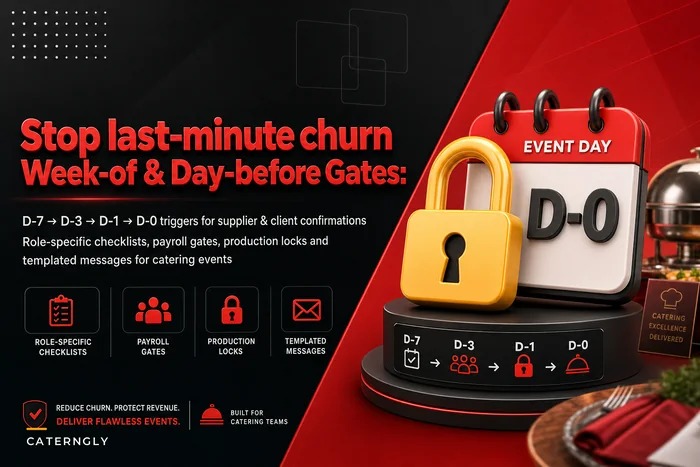
The thing not to do is nothing. Running day-of comms on memory and goodwill works right up until the event where three things go wrong at once in three languages. Pairing these templates with solid pre-event gating — like the week-of gating and day-before checklists — means fewer surprises reach event day in the first place, and the ones that do have a clear owner and a script waiting.
Pre-write what you can, assign every problem an owner, and translate ahead of time — not under pressure. Do that, and day-of communication stops being the thing you dread and starts being the part of the event that just runs.
Pre-write what you can, assign every problem an owner, and translate ahead of time — not under pressure. Do that, and day-of communication stops being the thing you dread and starts being the part of the event that just runs.
Ready to elevate your catering business?
Join 500+ caterers trusting Caterngly to save time, reduce errors, and deliver flawless events.