

The worst events aren't the ones that blow up on-site. They're the ones quietly falling apart from Wednesday onward — the supplier who never confirmed the linen count, the payroll batch that locked before a shift swap got entered, the kitchen that started prepping against last month's headcount because nobody passed along the news that the client dropped from 180 to 140.
By the time all of that surfaces on event day, you're not managing an event. You're managing damage. And the frustrating part is that almost none of it was actually a surprise. The information existed. It just never got confirmed, locked, or communicated at the right moment.
That's what a time-phased gating system fixes. Instead of relying on people to remember to chase confirmations, you set hard checkpoints — D-7, D-3, D-1, D-0 — where specific things must be true before the event moves forward. Each gate has its own owner, its own checklist, and its own consequences if it fails. This is what a real week-of preflight checklist for catering looks like when it's actually built to hold.
Why last-minute churn happens even when everyone's competent
The instinct is to blame people. Someone dropped the ball. But when you trace how churn actually spreads through the week, it's almost always a timing failure, not a competence failure.
The pattern repeats constantly: information arrives on different schedules than the decisions that depend on it. The client's final guest count lands Thursday afternoon. Payroll runs Thursday morning. The rental order needed adjusting by Wednesday to avoid a change fee. So even if every single person did their job well, the sequence guaranteed a scramble.
-
No single "as of" moment. Different people are working off different versions of the truth. Sales thinks the count is 160. The kitchen has 175 on a prep sheet from two weeks ago. Nobody's exactly wrong — they're just synced to different points in time.
-
Confirmations are assumed, not verified. A caterer sends the linen order and treats "sent" as "confirmed." The vendor is on vacation. The order sits.
-
Locks happen too late or not at all. Prep starts before headcount is frozen. Staffing gets finalized after payroll already closed. Small windows, big consequences.
-
Communication is reactive. People only reach out when something feels off, which means problems are already in motion by the time anyone's talking about them.
The gating approach flips this. Instead of reacting to whatever surfaces, you decide in advance what has to be true at each point in the week — and you don't let the event roll forward until it is.
The four gates, and what each one is actually for
Each gate answers a different question. The mistake most people make is treating them as one long to-do list. They're not. They're checkpoints with different purposes, different owners, and different failure consequences.
End chaos with centralized catering management.
Caterngly helps you plan, confirm, and manage every catering event seamlessly.
- Unified event and order management
- Real-time client updates
- Staff and resource scheduling
No credit card required
| Gate | Timing | Core question | Primary owner | What gets locked |
|---|---|---|---|---|
| D-7 | 7 days out | Is this event real and fully specified? | Event manager | Guest count range, menu, vendor orders placed |
| D-3 | 3 days out | Are all external parties confirmed? | Ops coordinator | Supplier confirmations, rental counts, staffing roster |
| D-1 | 1 day out | Is everything physically and operationally ready? | Site lead | Prep quantities, load lists, payroll batch |
| D-0 | Event day | Are we executing against a frozen plan? | Site lead | Final headcount, service timeline, no changes without escalation |
The value isn't the table. It's the discipline that each gate has a pass condition. An event doesn't "kind of" clear D-3. Either every supplier confirmation is in hand or the gate is red and someone owns fixing it before the next checkpoint.
D-7: Lock the shape of the event
Seven days out, the job is to confirm the event is fully specified and that anything with a lead time has been ordered. This is where you catch the events that "feel booked" but are missing critical detail — no final menu, no confirmed load-in time, a guest count still described as "around 150-ish."
The most common D-7 failure is placing orders against an unconfirmed count. If the client hasn't committed to a range, your rental and food orders are guesses. So this gate should force a decision: either the client commits to a working range (say 150-170) or the event flags as at-risk and sales gets pulled in.
This is also the natural point to reconcile any change orders that came in during the sales process. If scope shifted since booking — added stations, a plated upgrade, an extra bar — D-7 is your last comfortable window to make sure those changes flowed into the actual production and procurement plan. If your team struggles with scope drift between what was sold and what gets executed, a proper change-order workflow feeding into this gate is what keeps the two aligned.
D-3: Confirm every external party — actually confirm
D-3 is the gate that saves the most events, because it targets the thing you don't control: other people. Suppliers, rental companies, sub-hired staff, the venue.
The rule here is strict: a confirmation isn't a sent email. It's a reply. Or a confirmation number. Or a photo of the pull sheet. Something that proves the other party knows and agrees.
A realistic D-3 breakdown looks like this. A caterer has an event for 165 on Saturday. On Wednesday (D-3), the coordinator runs the gate and finds four items:
-
Linen vendor — confirmed, reply in hand. Green.
-
Rental company — order sent Monday, no reply. Yellow. Coordinator calls, discovers they had the wrong delivery date. Fixed in ten minutes.
-
Two on-call servers — texted, one responded, one silent. Yellow. Backup contacted.
-
Venue load-in window — assumed 2pm, never formally confirmed. Turns out it's 3pm because another event is breaking down. Timeline adjusted.
None of those four issues would have been impossible to solve Saturday morning. But Saturday morning they'd have hit all at once, during setup, with no slack. On Wednesday they took maybe 40 minutes and cost nothing.
D-1: Freeze prep and lock payroll
The day before is where physical readiness and the payroll gate collide, and it's the one caterers most often get wrong.
The tension is real: you want the latest possible guest count so you're not over-producing, but you also need to freeze the count early enough that the kitchen can prep and payroll can close. When these two needs aren't sequenced deliberately, you get one of two failures — prep starts against a stale number, or a legitimate last-minute staffing change (someone calls out, a shift gets swapped) misses the payroll batch and turns into a manual correction later.
The fix is putting an explicit order to D-1:
-
Pull the client's final count by a hard cutoff (say noon the day before).
-
Freeze production quantities against that number — prep sheets go out with the locked count.
-
Finalize the staffing roster against the frozen count and confirmed timeline.
-
Then run the payroll batch, so it captures the final roster.
-
Build load lists against the frozen plan.
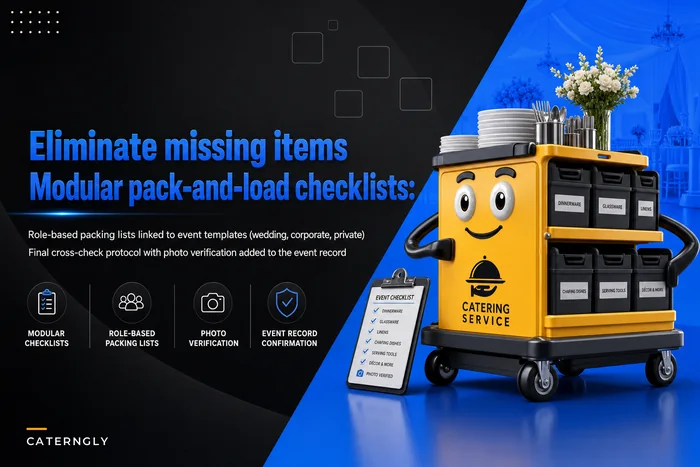
The sequence matters more than the individual steps. Payroll before roster lock is how you end up with overtime surprises and off-cycle corrections. Load lists before the count is frozen is how you end up short on chafers. If you're still finding missing gear at setup, the load side of this gate is where a real pack-and-load checklist does its work — but only if it's built against a count that's actually frozen.
D-0: Execute a frozen plan, escalate don't improvise
By event day, the plan should be locked. The D-0 gate isn't about making decisions — it's about protecting the decisions already made. The site lead runs a short go-live check, and anything that would change the plan (client asks for a late add, a station gets moved) goes through escalation rather than getting quietly absorbed.
The single most useful rule at D-0: no plan changes without a named approver. When a client asks for something on the day, the answer isn't "sure" or "no" — it's "let me check with [site lead / event manager]." That one habit stops the majority of day-of chaos, because it forces the change through a person who can see the downstream cost instead of a server just trying to be helpful.
The role-specific checklist that makes it hold
Gates only work if each one has an owner and a short, unambiguous list. The failure mode of most checklists is that they're one giant document nobody actually reads. Split them by role and by gate so each person sees only what they're accountable for.
A stripped-down version of what each owner runs:
-
Event manager (D-7) Final menu confirmed · Guest count range committed by client · All lead-time orders placed · Change orders reconciled into production plan · Venue load-in time requested
-
Ops coordinator (D-3) Every supplier confirmation received (reply/number/photo) · Rental counts matched to current guest range · Staffing roster confirmed with responses · Backup staff identified for silent responders · Venue window confirmed in writing
-
Site lead (D-1) Final count pulled by cutoff · Prep quantities frozen and issued · Roster finalized against count · Payroll batch run after roster lock · Load lists built against frozen plan
-
Site lead (D-0) Go-live check complete · Service timeline distributed · Escalation path posted · No changes without named approver
Keep each role's checklist to one page so the owner can review it at a glance.
Notice what's not on these lists: anything vague like "make sure things are ready." Every item is a binary — done or not done, confirmed or not. That's what lets a gate be genuinely red or green instead of "mostly okay," which in practice always means someone's covering a gap with hope.
Templated communications: the piece everyone skips
The confirmations and locks above depend on messages going out — to clients, suppliers, staff. Left to individuals, these get written from scratch every time, which means they're inconsistent, sometimes forgotten, and often worded in ways that don't actually pin down a commitment.
Templating the week-of communications does two things. It makes the ask specific ("Please confirm delivery of 20 rounds of 10 for Saturday, load-in 3pm — reply to confirm") instead of vague ("Just checking on the order"). And it means the message goes out on schedule regardless of who's slammed that day.
The clearest example: a supplier confirmation request that goes out at D-3 with the exact order, the exact date, and a request to reply. Compare that to a coordinator remembering, on a chaotic Wednesday, to individually email six vendors. One of those approaches scales across a full event calendar. The other breaks the first busy week you have.
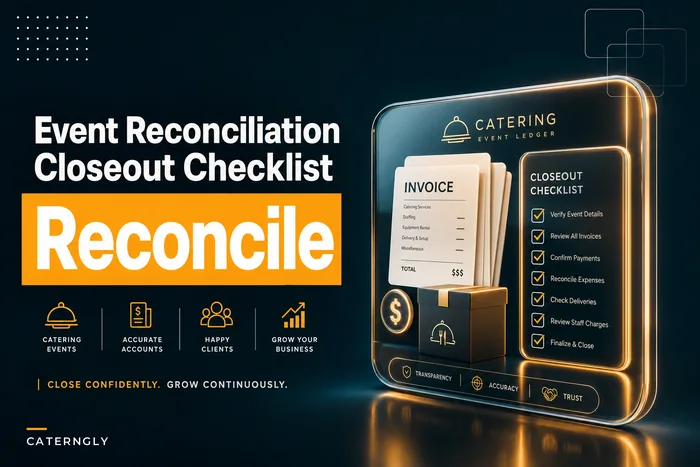
This is also where gating quietly improves your back-end accuracy. When confirmations are captured at defined checkpoints — with numbers and counts locked at each gate — your post-event numbers reconcile far more cleanly, because the plan you executed against was frozen and documented. Teams that struggle to match what was delivered against what was invoiced usually find the root cause upstream, in post-event reconciliation breaking down because the "as of" numbers were never locked in the first place.
Where automation actually earns its place here
Nobody needs software to write four checklists. The place operational tooling matters is the triggering — making sure D-7, D-3, D-1, and D-0 fire on their own for every event on the calendar, route the right checklist to the right owner, and flag gates that haven't cleared.
The realistic before-and-after: a manual system depends on a coordinator holding the entire event calendar in their head and remembering which event needs what, when. That works for three events a week. At twelve, something always slips — usually the confirmation nobody chased because that Tuesday was slammed. A gating system that auto-triggers checkpoints and surfaces the red gates turns "did we remember?" into "the system won't let this event advance until D-3 is green." That's the whole shift — from remembering to enforcement.

A simple visual like this helps teams see how the triggers, owners, and red gates interact over the week.
When this is worth building — and when it isn't
This matters more the busier and more overlapping your calendar gets. A few honest boundaries:
When gating clearly pays off: You're running multiple events per week, using outside suppliers and on-call staff, and you've had at least one recent event where a missed confirmation or a stale count caused real cost. The overlap is what kills you — when three events are sitting at different gates simultaneously, you need structure, not memory.
When it's overkill: You do a handful of events a month, mostly with the same in-house team and one or two trusted suppliers you talk to daily. The overhead may exceed the churn it prevents. A simple shared calendar might be enough.
Who should not force this: Anyone whose real problem is upstream — vague contracts, no final-count clause, clients who genuinely can't commit. Gating enforces a plan; it can't create commitment that the contract never required. Fix the terms first, then gate the execution.
A short real scenario
A mid-size caterer running roughly 10-14 events a week kept losing time to Thursday and Friday fire drills — chasing rental confirmations, redoing prep sheets after late count changes, cleaning up payroll after last-minute swaps. Nothing catastrophic, just a steady drip of small corrections and stress.
They put in the four-gate structure with role-specific checklists and standardized the D-3 supplier confirmation and D-1 count-freeze steps. Within about two months, the pattern shifted. Unconfirmed suppliers surfacing on event day dropped to almost none. Off-cycle payroll corrections became rare because the roster froze before the batch ran. The event managers described it mostly as quieter — fewer surprise phone calls in the last 48 hours, more events that simply went the way they were planned.
That's the real payoff. Not a heroic save on event day — the absence of one.
The takeaway
Last-minute churn isn't caused by bad people or bad events. It's caused by information and decisions running on mismatched schedules, with no enforced moment where things get confirmed and locked. Time-phased gating fixes the schedule mismatch directly: it decides in advance what has to be true at D-7, D-3, D-1, and D-0, assigns each gate an owner, and refuses to let an event roll forward on assumptions.
Build the four gates, split the checklists by role, template the confirmations, and hold the line on the locks. The events that used to fall apart quietly from Wednesday on will start arriving at event day already sorted — which is exactly where you want your attention when the guests show up.
Ready to elevate your catering business?
Join 500+ caterers trusting Caterngly to save time, reduce errors, and deliver flawless events.