

Most catering operations don't fail because they picked bad software. They fail because five decent tools were bolted together with no agreement about which one is right when they disagree. Your booking calendar says the Henderson wedding is 180 covers. Your POS charged for 165. Payroll shows six staff clocked in, the schedule said eight. Inventory swears you have 40 chafers; the warehouse has 31. Everyone's data is "correct" and nothing matches.
That's not a software problem. That's an architecture problem. And it gets worse — not better — the more tools you add.
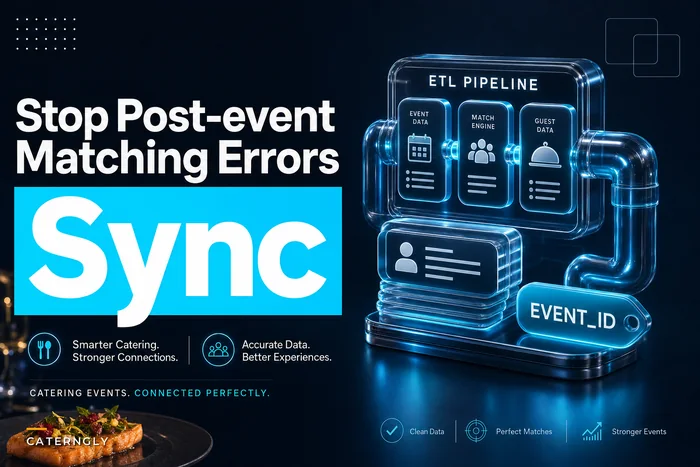
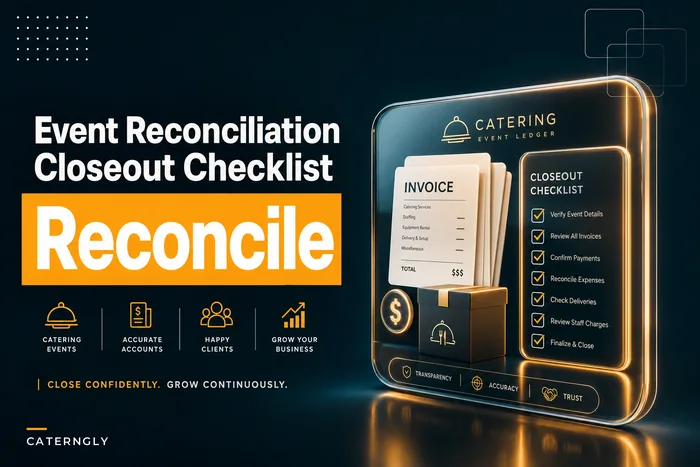
This ties together a lot of the operational work most caterers handle piecemeal. If you've already read about stopping post-event matching errors or post-event reconciliation, think of this as the layer underneath those — the structural rules that make reconciliation possible in the first place.
Start With a Canonical Systems Map, Not a Tool List
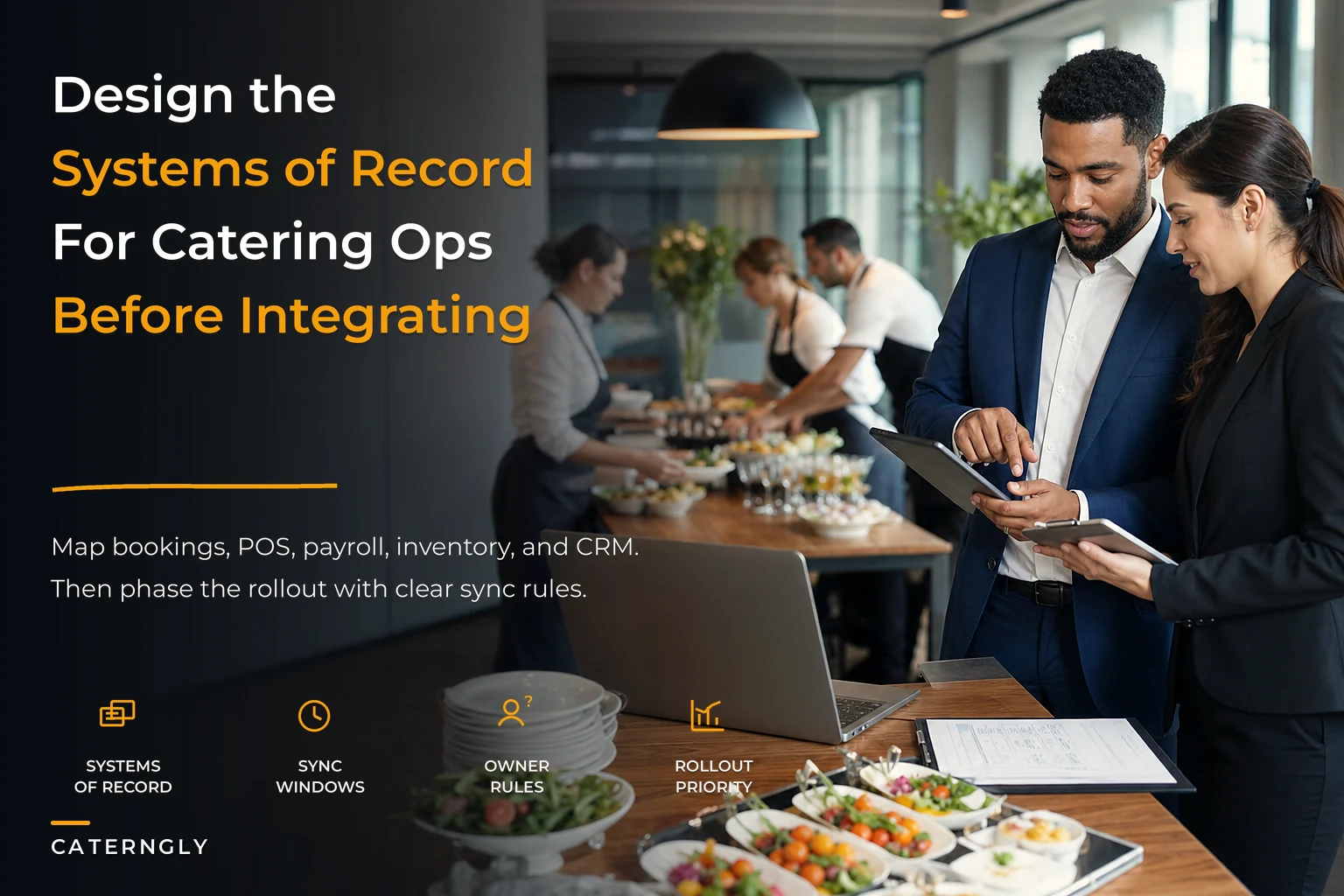
Before anyone talks about integrations, you need one page that shows every system you run and what data actually lives in each. Not the marketing names — the actual data. Most caterers have never drawn this, and the moment they do, the overlaps jump out immediately.
| System | Owns (primary data) | Duplicates (shouldn't be trusted here) | Feeds into |
|---|---|---|---|
| Booking / Events | Event date, guest count, venue, menu selection, service style | Client contact, deposit status | POS, Inventory, Payroll, CRM |
| POS / Payments | Transactions, deposits, final invoice, tips | Guest count, menu items | Accounting, CRM |
| Payroll / Scheduling | Staff hours, roles, pay rates, shift assignments | Event date, headcount needed | Accounting, per-event P&L |
| Inventory | Stock counts, reorder points, rental assets | Menu components | Booking (availability), Accounting |
| CRM | Client history, lead source, lifetime value, communications | Event details, payment status | Booking, marketing |
The important column isn't "Owns." It's "Duplicates." Every duplicate is a place where two systems can disagree, and every disagreement is a future argument between your ops lead and your bookkeeper.
Worth noticing: guest count appears in four systems. Menu selection appears in three. Those are exactly the fields that generate the most reconciliation pain at month-end. When a number lives in four places, you don't have four backups — you have four opportunities to be wrong.
Assign One System of Record Per Data Type — and Enforce It
This is the single decision that fixes more downstream chaos than any integration ever will. For each critical piece of data, you pick one system that owns the truth. Everyone else displays a copy, but they don't get a vote when there's a conflict.
End chaos with centralized catering management.
Caterngly helps you plan, confirm, and manage every catering event seamlessly.
- Unified event and order management
- Real-time client updates
- Staff and resource scheduling
No credit card required
The mistake caterers make is letting ownership drift by convenience. The sales team updates guest count in the CRM because that's the tool open on their screen. The kitchen updates it in the booking system. Now you've got two "current" numbers and no rule for which one wins.
-
Event details (date, count, service style, menu) Booking system. Full stop. Everything else reads from here.
-
Money in (deposits, final payments, tips) POS/payments. Accounting reads it; nobody edits transactions elsewhere.
-
Labor hours and cost Payroll/scheduling. Your per-event P&L pulls from here, not from someone's memory.
-
Physical stock and rental assets Inventory. Booking checks availability against it but can't overwrite counts.
-
Client relationship and history CRM. The only place that should "own" who the client is over time.
The test for whether you've done this right: pick any number in your business and ask "if two screens disagree, which one is correct?" If the answer is "it depends" or "whoever updated it last," you haven't assigned a system of record — you've just installed software.
Build an Integration Priority Matrix (Because You Can't Connect Everything at Once)
Nobody has the budget or patience to integrate all five systems in one go. So you rank the connections by how much pain they remove versus how hard they are to build. A simple matrix keeps you from wiring up the flashy integration while ignoring the one causing 80% of your errors.
Score each potential connection on two axes:
-
Error/labor cost of the current manual process — how much re-keying, how many disputes, how much money slips through
-
Integration difficulty — API availability, data-matching complexity, how clean the fields actually are
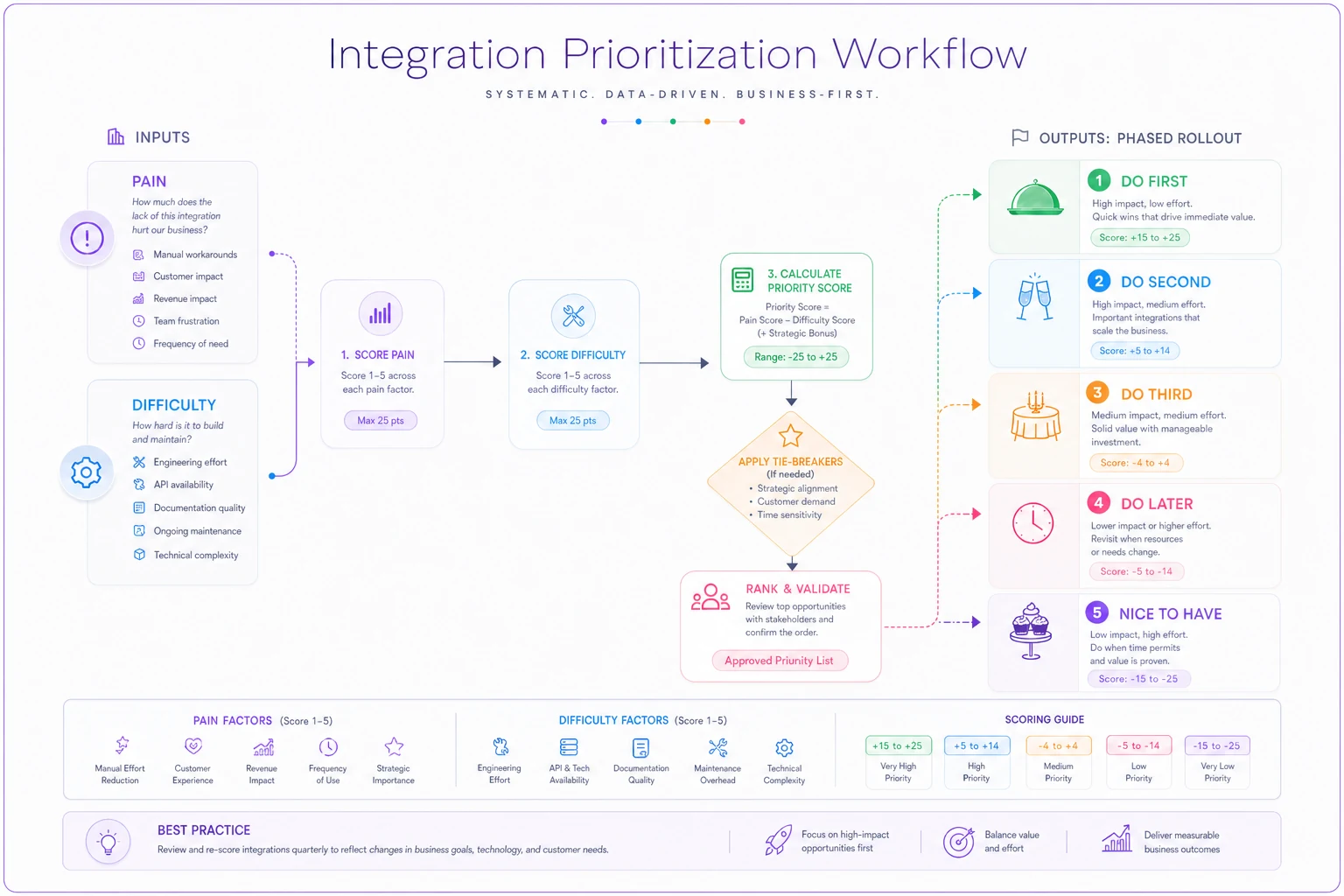
A typical ranking for a growing caterer ends up looking like:
-
Do first (high pain, low effort) Booking → POS. Getting guest count and menu to flow into invoicing kills a huge share of billing disputes.
-
Do second (high pain, medium effort) Booking → Payroll/scheduling. Event count drives staffing; disconnecting these two is where overtime and understaffing both come from.
-
Do third (medium pain, medium effort) POS → Accounting. Cleaner books, but the existing manual export is often only mildly painful.
-
Do later (medium pain, high effort) Inventory ↔ Booking. Valuable but tricky — menu-to-ingredient mapping is genuinely hard to get right.
-
Nice to have CRM ↔ everything. Great for marketing and lifetime value tracking, but rarely the thing bleeding money today.
Caterers almost always want to start with the CRM integration because it feels strategic. It's usually the last one that should be built, because it doesn't stop the day-to-day errors that are costing real money right now.
Here's a quick diagram of the prioritization workflow to keep the team aligned.
Caterers almost always want to start with the CRM integration because it feels strategic. It's usually the last one that should be built, because it doesn't stop the day-to-day errors that are costing real money right now.
Define SLA and Sync Rules Before You Flip Anything On
An integration without sync rules is just a faster way to spread bad data. You need to decide, per connection, three things: direction, frequency, and conflict handling.
-
Direction One-way or two-way? Most should be one-way from the system of record. Two-way sync is where silent data corruption lives — now both sides can overwrite each other.
-
Frequency Real-time, hourly, or overnight batch? Guest count changes need to propagate fast. Client lifetime-value updates can wait until tonight.
-
Conflict rule When source and destination disagree, what happens? The default should always be: source of record wins, destination logs the discrepancy for review.
A practical example for the Booking → POS connection: guest count and menu sync within 15 minutes of any change in the booking system; POS never writes event details back; any manual POS override triggers a flag that lands in a daily exceptions report.
That last part — the exceptions report — is what most setups skip, and it's the difference between an integration you trust and one you're constantly second-guessing. You're not trying to prevent every mismatch. You're trying to make sure no mismatch stays invisible.
The sync rule that causes the most trouble in practice is the "last edit wins" default that a lot of connectors ship with. For a business where a $2,000 guest-count change can happen 48 hours before an event, "last edit wins" means a stale automated sync can quietly wipe out a manual correction someone made for a good reason. Always know what your connector does on conflict — don't assume.
A Phased Rollout Plan That Won't Blow Up Mid-Season
You do not roll out five integrations the week before wedding season. The whole point of phasing is that each stage is small enough to reverse if it breaks.
-
Phase 0 — Clean the data. Before connecting anything, deduplicate clients, standardize how menus and service styles are named, and pick your systems of record on paper. Integrations amplify whatever mess already exists.
-
Phase 1 — Connect the highest-pain, lowest-risk pair (usually Booking → POS), one-way, with an exceptions report. Run it in parallel with your old manual process for two to three weeks.
-
Phase 2 — Add Booking → Payroll/scheduling once Phase 1 is stable. Watch how staffing numbers flow and whether they match what actually gets scheduled.
-
Phase 3 — Wire POS → Accounting so your books stop being a monthly re-keying marathon.
-
Phase 4 — Tackle Inventory ↔ Booking, the hard one, only after the simpler flows are boring and reliable.
-
Phase 5 — Layer CRM connections for lifetime value and marketing once the operational core is solid.
Run the new integration alongside the old process for at least two to three weeks to catch edge cases.
The non-negotiable in every phase is the parallel-run period. Keep doing it the old way alongside the new flow just long enough to compare outputs. If the integration and the manual process agree for a couple of weeks across a real spread of events, retire the manual step. If they don't agree, you found a bug before it cost you a wedding.
Reconciliation Patterns: How to Catch Drift Automatically
Even a well-designed architecture drifts. Staff make overrides, connectors hiccup, someone edits a record during an outage. Reconciliation is the routine that catches drift before it becomes a month-end fire.
-
Count reconciliation (per event) Compare guest count across booking, POS invoice, and scheduled labor. They should trace to one number. A gap means either an un-billed change or an over-staffed event.
-
Money reconciliation (weekly) Match deposits and final payments in the POS against what accounting recorded. Anything unmatched over 48 hours gets escalated.
-
Asset reconciliation (post-event) Rental and equipment counts checked back into inventory against what left the warehouse. This is where the slow bleed of "missing" chafers and linens shows up.
For the deeper mechanics of matching deliveries, invoices, and the event ledger, the post-event reconciliation walkthrough covers the line-level process. The architecture here is what makes that reconciliation fast instead of forensic — when data flows from clear systems of record, reconciliation becomes "confirm the match" instead of "reconstruct what happened."
Test Cases You Should Run Before Trusting Any Integration
Don't declare an integration "done" because it synced once with clean data. Run it against the messy edge cases that actually occur:
-
The late change Guest count shifts from 150 to 190 two days out. Does the new number reach POS, payroll, and inventory correctly and on time?
-
The manual override Someone edits the invoice in POS directly. Does the system flag it instead of silently accepting or silently overwriting it?
-
The cancellation An event cancels after deposit. Do downstream systems release the staffing and inventory holds, and does the deposit stay recorded correctly?
-
The duplicate client Two records exist for the same corporate client. Does the CRM link them or create a third mess?
-
The connector outage The sync goes down for six hours. When it recovers, does it catch up correctly or skip the missed changes?
That outage test is the one everybody forgets, and it's the one that bites hardest. A good architecture doesn't assume the pipes never break — it assumes they will and makes sure you find out when they do.
When This Full Architecture Actually Makes Sense (and When It Doesn't)
When it makes sense: You're running enough concurrent events that manual re-keying is genuinely costing hours per week, you've had at least one billing dispute traced to mismatched data, or you're planning to grow headcount and can't afford coordination to fall apart. Roughly past 8–10 events a month with a real team, the architecture starts paying for itself in avoided errors.
When it's a bad idea: You're a solo or two-person operation doing a handful of events a month. Building five integrations for that volume is over-engineering — a single well-organized booking tool and a shared spreadsheet will serve you better and cost nothing to maintain.
Who should NOT do this yet: Anyone whose underlying data is still a mess. If your client list has duplicates, your menu names aren't standardized, and nobody agrees on where guest count "really" lives, integration will just make the chaos travel faster. Do Phase 0 first. Everything else can wait.
A Real Scenario
A regional caterer running around 14–18 events a month kept losing money at the seam between booking and billing. Their process: sales updated events in the booking tool, someone re-keyed the final numbers into the POS by hand before each event. On busy weeks, that re-keying slipped. Roughly one in six events went out billed on a stale guest count — usually low, because counts tend to rise near the date.
The rough cost was a few hundred dollars per mis-billed event in un-invoiced covers, plus the time spent arguing with clients about which number was right. Over a season that quietly added up to somewhere in the low five figures of lost revenue.
They didn't overhaul everything. They did Phase 0 — cleaned up menu naming, picked the booking system as the system of record for event details — then built one integration: Booking → POS, one-way, with a daily exceptions report. Parallel-ran it for three weeks. After that, mis-billed events dropped to nearly none, and the disputes that used to eat their office manager's Mondays mostly disappeared. The other integrations came later, one at a time. But that single highest-pain connection did most of the work.
Tying It Back to What You Can Actually See
The reason architecture matters isn't tidiness for its own sake. Every downstream report you rely on — margins, labor cost, per-event profit — is only as trustworthy as the systems feeding it. If you've built a KPI dashboard to catch per-event profit leaks, it's worth remembering that a dashboard built on top of disagreeing systems just reports the disagreement with more confidence.
Get the systems of record clear, phase the integrations by real pain, define what happens on conflict, and reconcile on a rhythm. Do that, and the number on every screen finally means the same thing. That's the whole job. Less exciting than picking new software, and it matters a great deal more.
Get the systems of record clear, phase the integrations by real pain, define what happens on conflict, and reconcile on a rhythm. Do that, and the number on every screen finally means the same thing. That's the whole job. Less exciting than picking new software, and it matters a great deal more.
Ready to elevate your catering business?
Join 500+ caterers trusting Caterngly to save time, reduce errors, and deliver flawless events.